Their first computer starts here.
Sprout gives kids their own place to learn technology, explore AI, and create—with real tools, in an environment separate from your computer.
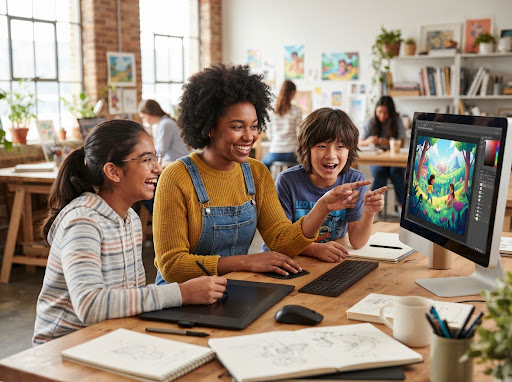
Designed to cultivate natural curiosity, digital independence, and thoughtful creative confidence.
Why Jupiter is like a giant storm laboratory
Jupiter is the largest planet in our solar system. If Earth were the size of a grape, Jupiter would be as big as a basketball! Its Great Red Spot is a spinning storm that has lasted over 300 years...
Creative Prompt:
"What would happen to a space probe flying into the clouds of Jupiter?"
Suggestion
Try describing how the atmospheric pressure would squeeze the probe before it could reach the core!
Kids shouldn't have to borrow your computer to learn how to use one.
Kids are growing up with computers and AI everywhere. But learning to use technology usually means handing them the same environment you use for work, banking, photos, files, and everything else. That's not a great place to experiment. Sprout gives them their own.
A shared working station with real liabilities, passwords, synced bank accounts, and irreplaceable records.
A dedicated personal OS partition with safe sandbox technology where no mistake can alter family files.
A computer they can learn on.
Sprout is a personal computing environment designed from the ground up for kids. They get their own desktop, their own apps, their own files, and their own projects. They can explore and experiment without changing the environment you depend on.

Guided exploration, never passive scrolling.
Children thrive when given real computational capabilities paired with safe, inspiring guardrails. They move effortlessly from asking questions to crafting solutions.
Learn
Understand how computers actually work: file paths, hardware inputs, memory, shortcuts, and real operating logic.
Create
Write, draw, calculate, build, and make things. Hands-on creation across rich document processing and digital canvas tools.
Explore
Experiment with AI and technology safely inside their own environment. Prompt generation, fact-checking, and interactive discovery.
Real tools. Real skills.
Instead of teaching technology through endless lessons, Sprout lets kids learn by actually using it.
Write
Write stories, reports, ideas, and school presentations.
Draw
Turn ideas into digital illustrations, sketches, and graphic layouts.
Sheets
Make sense of numbers, inventory, science data, and simple formulas.
AI
Learn how to work with AI responsibly—not just talk to it.
Files
Learn where things live, how directories nest, and how to maintain order.
Browser
Explore the web and learn how URLs, search algorithms, and sources function.
Plus 100s more kid-catered real apps to practice upon
Curated LibraryFrom audio editors and Python sandboxes to 3D modelers and logic puzzles—all pre-configured with calm, safe guardrails.
Don't just teach kids about AI. Teach them how to use it.
AI is becoming part of how we write, learn, create, and solve problems. Sprout gives kids a place to start early—with guidance that helps them understand what AI can do, where it can help, and when they should question its answers.
THE SPROUT AI REASONING FRAMEWORK
Ask AI a question.
Learn how specific, context-rich questions yield better insights.
Use AI to co-write.
Brainstorm character outlines or article structure collaboratively.
Improve your idea.
Use critiquing prompts to identify plot holes or calculation gaps.
Fact-check answers.
Verify citations using browser tools to verify AI claims.
Build on your own.
Synthesize the raw concepts into a self-owned creative work.
Active Prompt Guidance & Source Verification
When the Sprout AI makes a factual claim, the system highlights key assertions with instant search links, training young minds never to trust digital outputs blindly.
Explore AI in Sprout"Is it true that honey never spoils?"
Yes! Archaeologists have found pots of honey in ancient Egyptian tombs that are over 3,000 years old and still perfectly preserved.
The best way to learn a computer is to use one.
Sprout doesn't separate “learning” from “doing.” Kids learn computing concepts while making things they actually care about.
Example: Make a birthday invitation
Open Write
Launch app
Add text
Typography
Add an image
File importing
Save document
Disk storage
Find in Files
Directories
Export it
PDF formatting
Share it
Local printing
“They made an invitation. But along the way, they learned how applications, files, folders, saving, and exporting work.”
No quiz questions or artificial tests—competence emerges naturally through creation.
From using technology to creating with it.
Sprout supports the natural trajectory of a child's digital literacy—from tactile exploration to systematic construction.
Explore
Learn the basics. Mouse agility, keyboard typing, navigating files, window management, and web orientation.
Create
Make things. Document formatting, multi-layer digital art, organizing tabular data, and illustrated family reports.
Build
Go further. AI prompt crafting, lightweight HTML scripts, structured databases, web projects, and automation recipes.
Give them room to experiment.
Sprout gives kids a space that belongs to them. They can try things, make mistakes, create projects, organize files, and learn new technology—without turning your computer into their playground.
Their own space
A personal environment designed for learning and exploration. Custom wallpapers, desktop shortcuts, and projects that are strictly theirs.
No fear of breaking your setup
Their work, downloads, experiments, and temporary files stay completely within Sprout. Your work software, browser tabs, and sensitive documents remain untouched.
Growing independence
Kids gradually learn to operate technology without needing help for every little thing. They troubleshoot, save, organize, and create with calm confidence.
It feels like their computer.
You provide the space. They learn what to do with it.
Custom constellations wallpaper, daily challenge widget, and clean app grid.
Neatly organized folders: /Comics, /Robotics, /School.
Active drafts: “The Martian Rover Journal” and “Family Pizza Night Vote”.
“Sol 44: Today our solar collectors were dusted by a gentle wind storm. Power is back up to 88%...”
Start in minutes.
Simple setup designed for intentional families. No technical expertise required.
Create your account
Set up Sprout for your child in under 2 minutes. Enter their name and age bracket.
They enter Sprout
They get their own personal computing environment immediately, with dedicated wallpaper and apps.
Start exploring
Learn, create documents, test safe AI interactions, and build real projects right away.
Grow with Sprout
As they become more comfortable, unlock advanced tools, code modules, and research suites.
You don't need to manage every click.
Sprout is designed so kids can explore independently while parents stay in control of the environment that matters. You can see their progress and help them when they need it—without having to sit beside them every time they open a computer.
Progress Visibility
See what they created this week: stories written, calculations performed, and topics researched.
Quiet Guardrails
Safe browsing channels, filtered AI models, and local sandboxing ensure high safety with zero intrusive nag screens.
Shared Celebrations
Receive weekly summary digests showcasing their favorite drafts and newly mastered keyboard shortcuts.
Give them a place to learn what's next.
A personal space to learn computers, explore AI, and create things of their own.
Built for curious kids. Designed for independent learning.